
Organise notebooks in folders
Group your notebooks by class, subject or term.
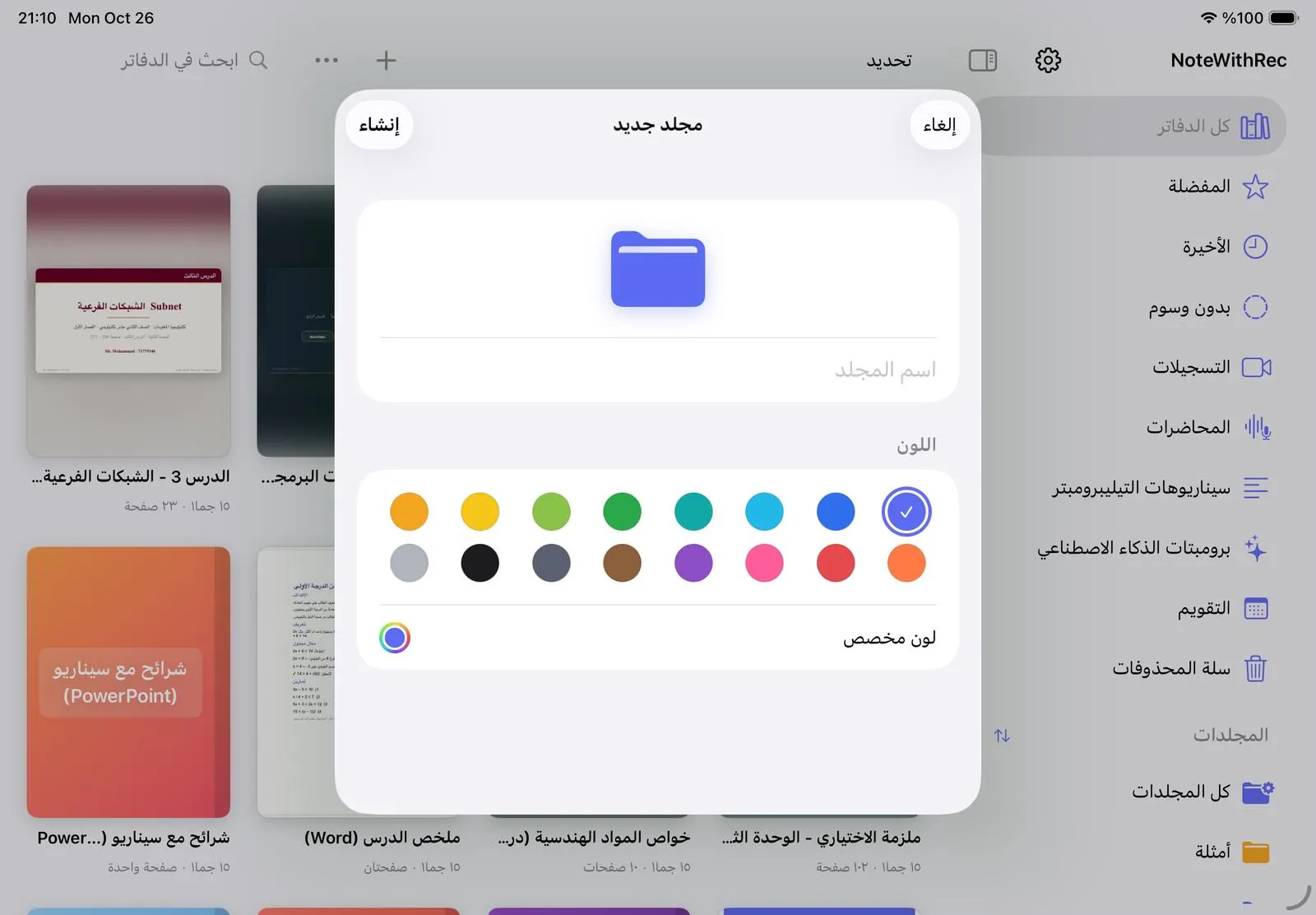
Create a folder
- In the library, tap + and choose New folder.
- Type a name and pick one of 16 colours, or a custom colour.
- Tap Create. If you were inside a folder, the new one becomes a subfolder of it.
Move a notebook into a folder
- Press and hold the notebook’s cover.
- Choose Move to, then the folder. Choose No folder to take it out again.
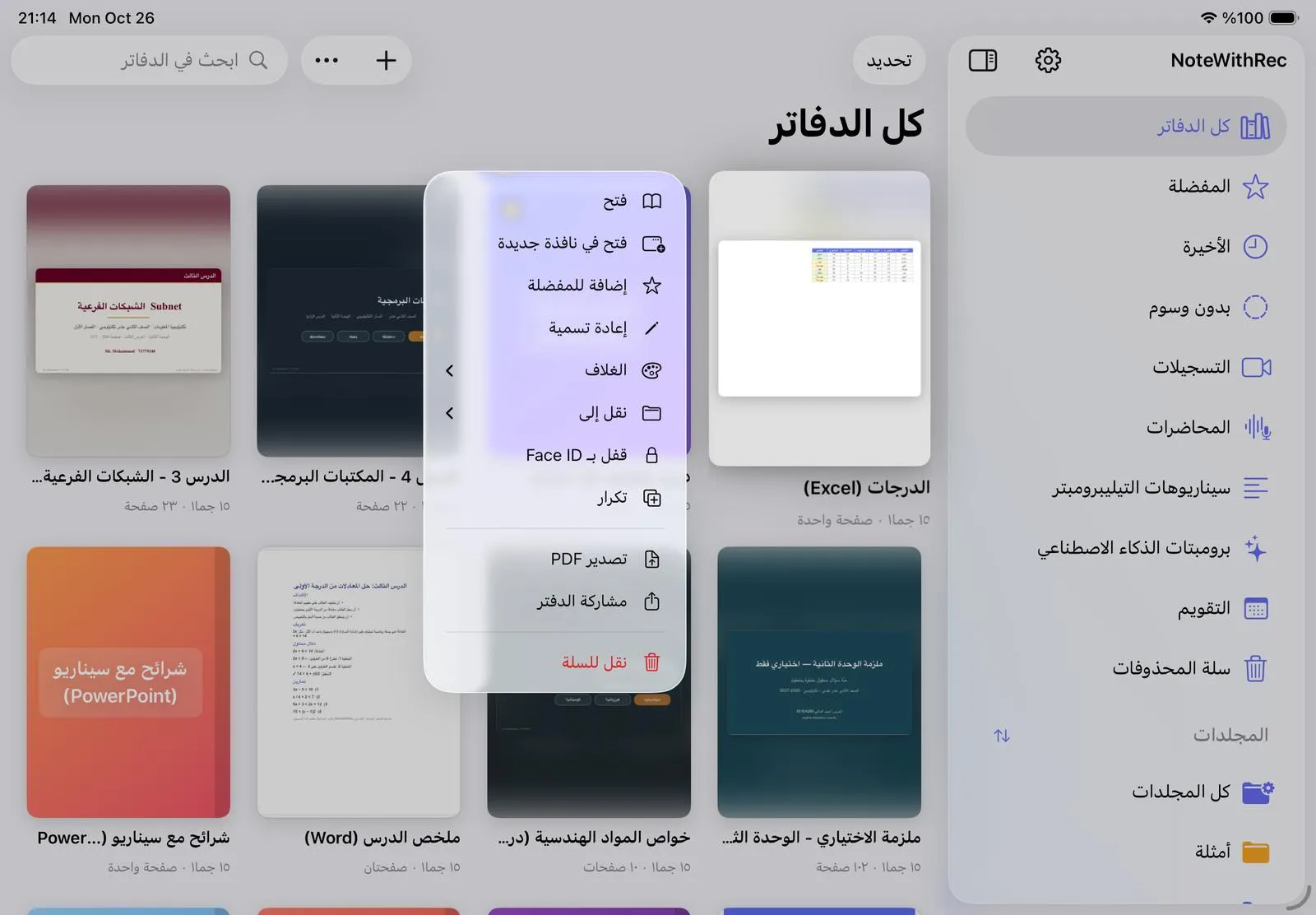
The same menu lets you rename the notebook, change its cover, add it to Favorites, lock it with Face ID, or duplicate it.
Was this article helpful?
Thanks for telling us.