
AI that prepares the lesson with you.
Ask NoteM for a lesson, a worksheet, a study pack or an exam, and it lands as pages in your notebook, ready to write on and present. You choose the AI company and use your own key; NoteM runs no AI server of its own.
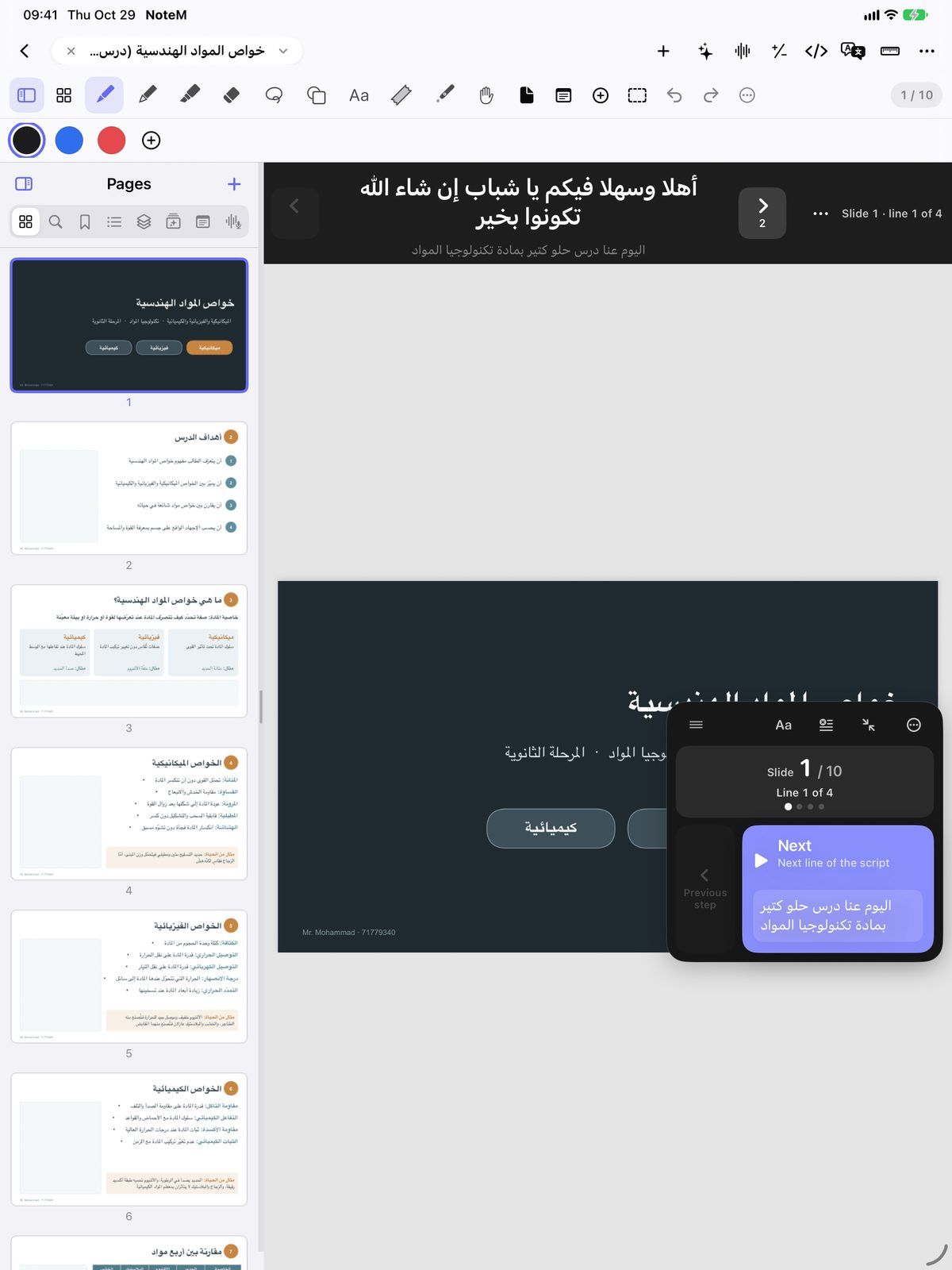
From a topic to slides, a script and a quiz
Build a lesson asks what the lesson is about, for whom, and about how long (5 to 45 minutes). It adds slides after the current page, each point on its own click, with the teleprompter script tied to every click and quiz questions at the end. Open it and record.
- Study pack: a summary and key points, review cards with the answers under tape, a quiz and a mind map, from a recorded lecture or the notebook’s text
- Exam from this notebook: multiple choice, true or false, short answer and problems, with marks, plus a separate answer key as PDFs
- Ask this notebook: answers that name the pages they come from, one tap away
- Everything is written in the material’s own language
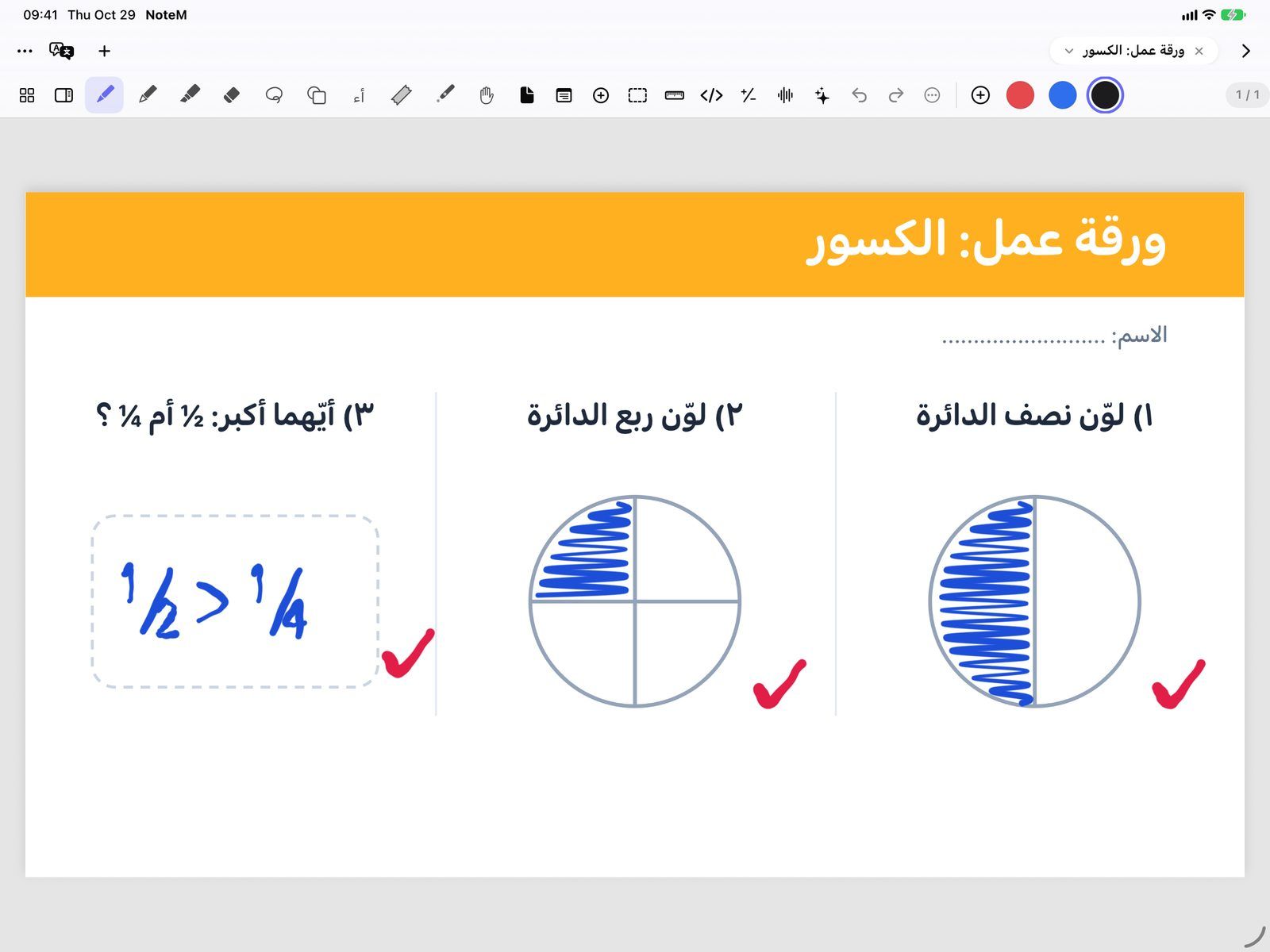
From a textbook photo to a worksheet, and marks on a solution
Photo to worksheet takes a photo or a scanned page and makes a worksheet with answers, a simple explanation, or questions at three levels: Easy, Medium and Challenge. Check my work reads a handwritten solution and marks it on the page like a teacher.
- Circle one answer with the lasso to check only that, or check the part of the page on screen
- Ticks and crosses beside each step, a short correction beside the wrong ones
- The right answer and one encouraging sentence under the work
- All the marks come off with one Undo
Your script and your recordings
Rewrite with AI in the script editor makes the teleprompter script easier to say, shorter, livelier or more formal, fixes spelling and grammar, or translates it into Arabic, English, Turkish or French. It works line for line, so every line keeps its slide and its click.
- Undo brings back your words, and nothing is saved until you tap Save
- Title and chapters for a recorded lesson: a title, a short description and up to 12 chapters
- The speech is written out on the device; only the words and their times are sent, never the video
- Copy for YouTube puts the title, description and chapters in YouTube’s format
AI prompts: ready-made requests for any chatbot
In the library, AI prompts writes a detailed request you paste into ChatGPT, Claude or any AI. It needs no key: pick what you want, fill in the subject, topic and grade, and bring back files NoteM imports well.
- Seven kinds: full lesson + script, worked problem, solved question booklet, worksheet, quiz, teleprompter script, revision summary
- Arabic (Levantine), Arabic (Standard) or English
- Copy prompt, Share, or Open in ChatGPT, Claude or Gemini
- The script it asks for uses [slide N] and [click] marks that turn your slides for you
Questions teachers ask
Do I need my own AI key?
Yes, for most features. In Settings AI pick Google Gemini, OpenAI, Anthropic (Claude) or another OpenAI-compatible service and paste a key you made with that company. Without a key, Apple’s on-device model answers where your device has it, but it cannot read pictures, so Photo to worksheet and Check my work need a key.
Does NoteM send my notebooks to its own servers?
No. NoteM runs no AI server: requests go straight from your device to the company you chose, and your key stays in this device’s Keychain. Before the first request NoteM asks whether you allow sending to that company, and you can change your answer in Settings AI.
Can the AI make mistakes?
Yes. Treat what it writes as a draft and check it before you teach with it. After a rewrite NoteM itself says “Rewritten. Check it before saving.”, and every generated page can be edited or removed with Undo.
Which languages does it write in?
The language of your material. A lesson, worksheet, study pack or exam is written in the language of the topic, page or notebook, not the app’s. Build a lesson can also be set to Arabic or English.