
Bring your own files. Teach on them.
Your worksheets, slides and spreadsheets open as notebooks, one page per page or slide, ready for Apple Pencil. When the lesson is done, send it back out as PDF, PowerPoint, images, a video or a web page.

Every file becomes a notebook
Tap + in the library and choose Import PDF, Word or PowerPoint. You can pick several files at once; each one becomes its own notebook in the folder you have open.
- PDF: one page per PDF page, kept sharp as the original
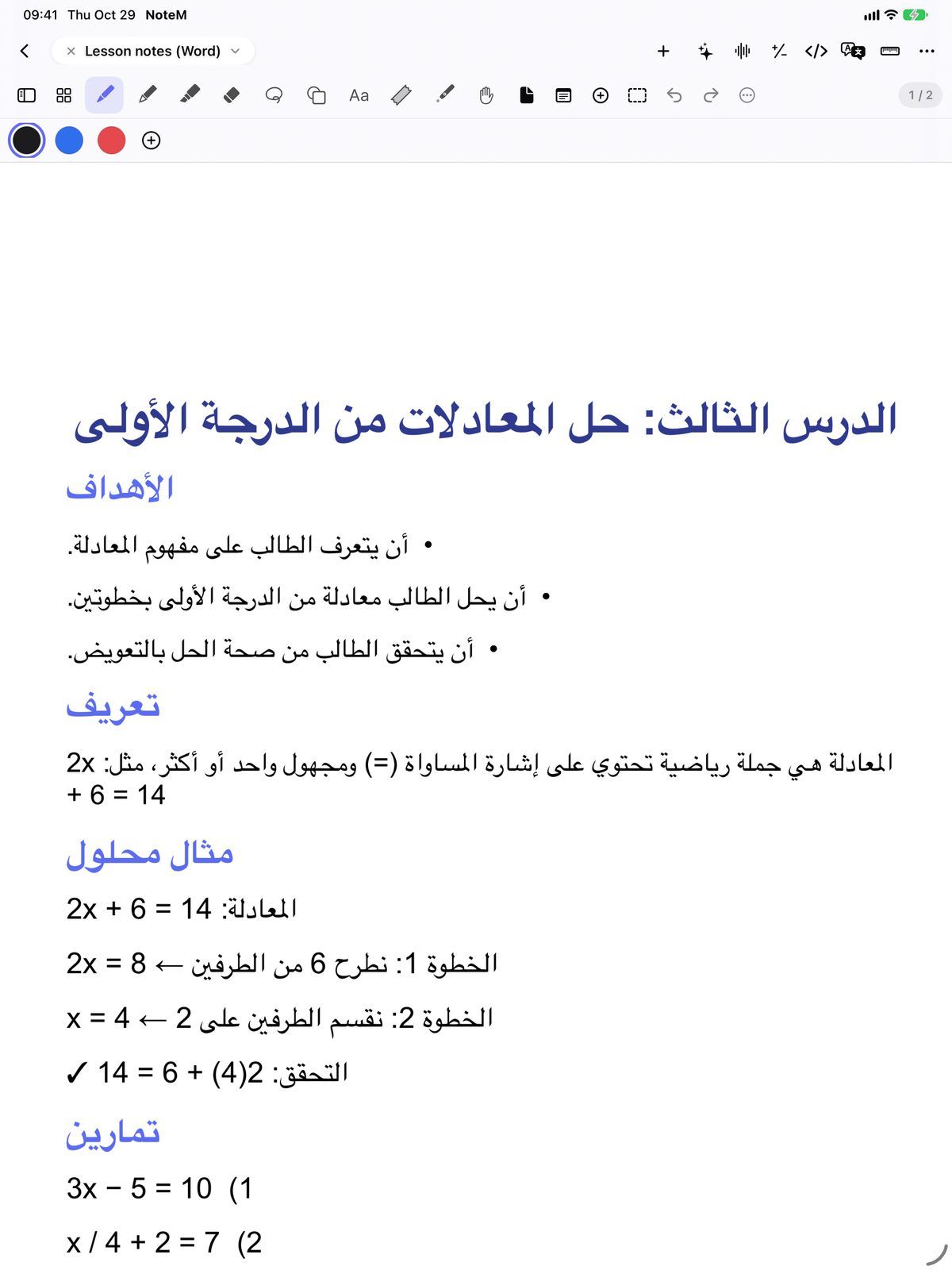
- Word (.docx, .doc): pages ready to write on, with their equations
- Excel (.xlsx, .xls) and CSV: landscape pages; right-to-left sheets stay right-to-left
- Images: up to 50 photos in one notebook, one per page
- Scan document with the camera, or a ZIP of files that keeps its folders
PowerPoint, with its click animations
A .pptx file imported from the library becomes a notebook with one slide per page. NoteM reads the click order saved in the file itself, so in the presentation each tap on Next reveals what used to appear on that click in PowerPoint.
- Entrance animations come through, paragraph by paragraph where the file has them
- Nothing is guessed: the order and the shapes come from the file
- Write on the slides, add your own steps, and present
- Also opens .ppt, .pps and .ppsx slide files

Send it back out the way you need it
From More Export, NoteM saves what you have so far and opens the share sheet: save to Files, AirDrop, or attach it to an email.
- PDF of every page, with your writing over the original
- PowerPoint: plain text boxes stay editable, reveal steps become click animations and presenter notes go to the notes page
- Page as image or All pages as images (PNG)
- Presentation movie: an MP4 of the slides, step by step (no sound)
- Web page (HTML): one file that plays the slides in any browser
Tables and charts on the page
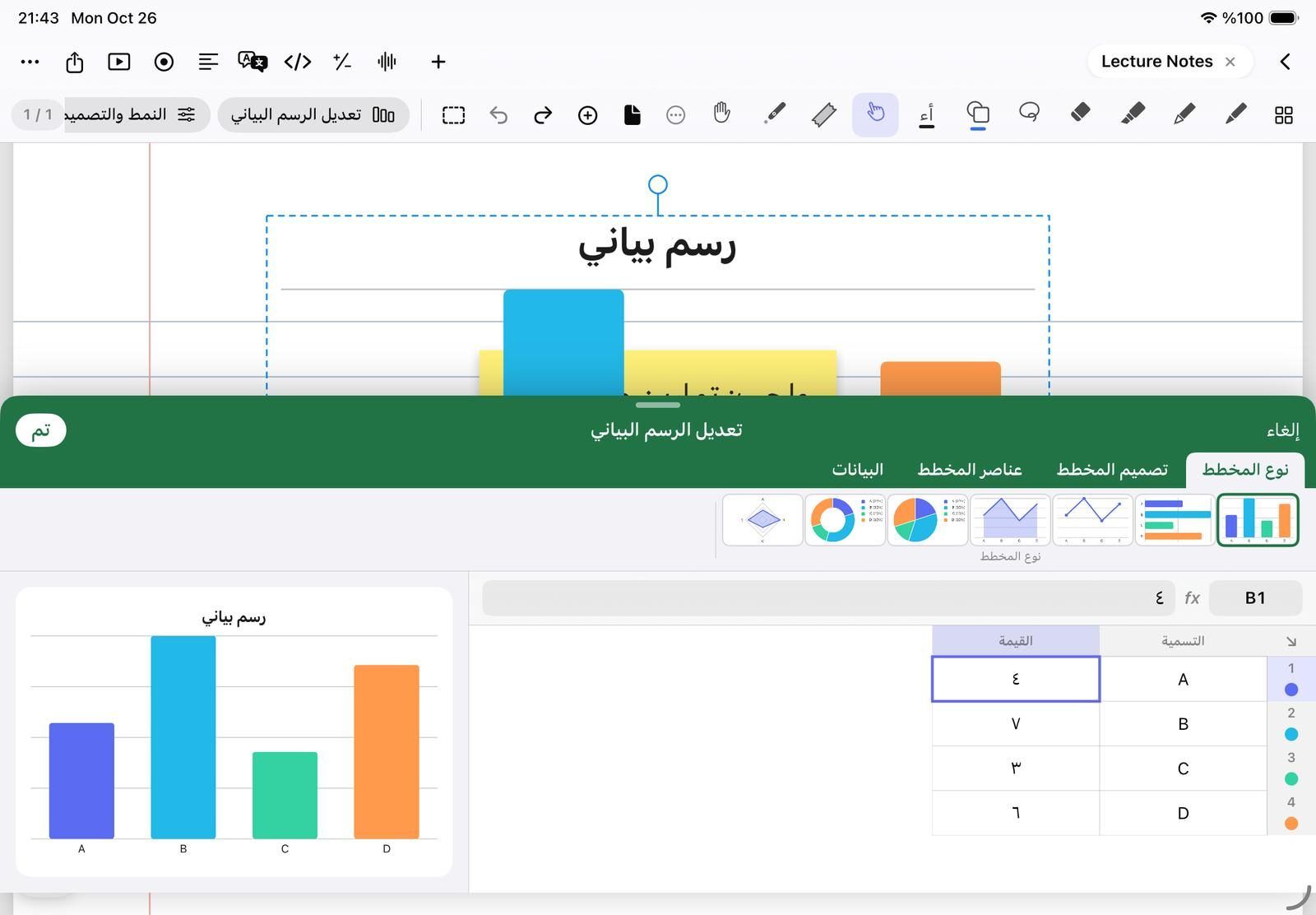
Insert Table puts a small spreadsheet on the page, and Insert Chart a chart you can style. Both are edited in a panel that looks like Excel, while the page stays in view above it.
- Ready tables: Grades with total and average, Weekly timetable, Attendance, Price list with totals
- Formulas with SUM, AVERAGE, MIN, MAX, COUNT, ROUND, ABS and SQRT
- Seven chart types: bars, horizontal bars, line, area, pie, doughnut and radar
- Chart from this data turns a table column into a chart in one tap
Questions teachers ask
Can I write on a PDF without changing the original file?
Yes. NoteM copies the file into the notebook and never changes the original. Your writing sits on top, and Export PDF gives you a new file with the page and your notes together.
Do PowerPoint animations still work after I import the slides?
Yes, for .pptx files imported from the library as a new notebook. The entrance animations on each click become steps, so each tap on Next reveals the next point. Older .ppt files open without their animations.
Can I export my annotated slides back to PowerPoint?
Yes. More Export PowerPoint makes a .pptx: plain text boxes stay editable, your handwriting is a picture over each slide, and each reveal step becomes a click.
Can I import several files at once?
Yes. In Import PDF, Word or PowerPoint, select as many files as you like. Each becomes its own notebook, and if some fail NoteM tells you which ones.