
Teach from slides you can write on.
In NoteM every page is a slide. Give it a theme, reveal the points one tap at a time, turn a 3D model in front of the class, and keep your notes on the iPad while the room sees only the slide.
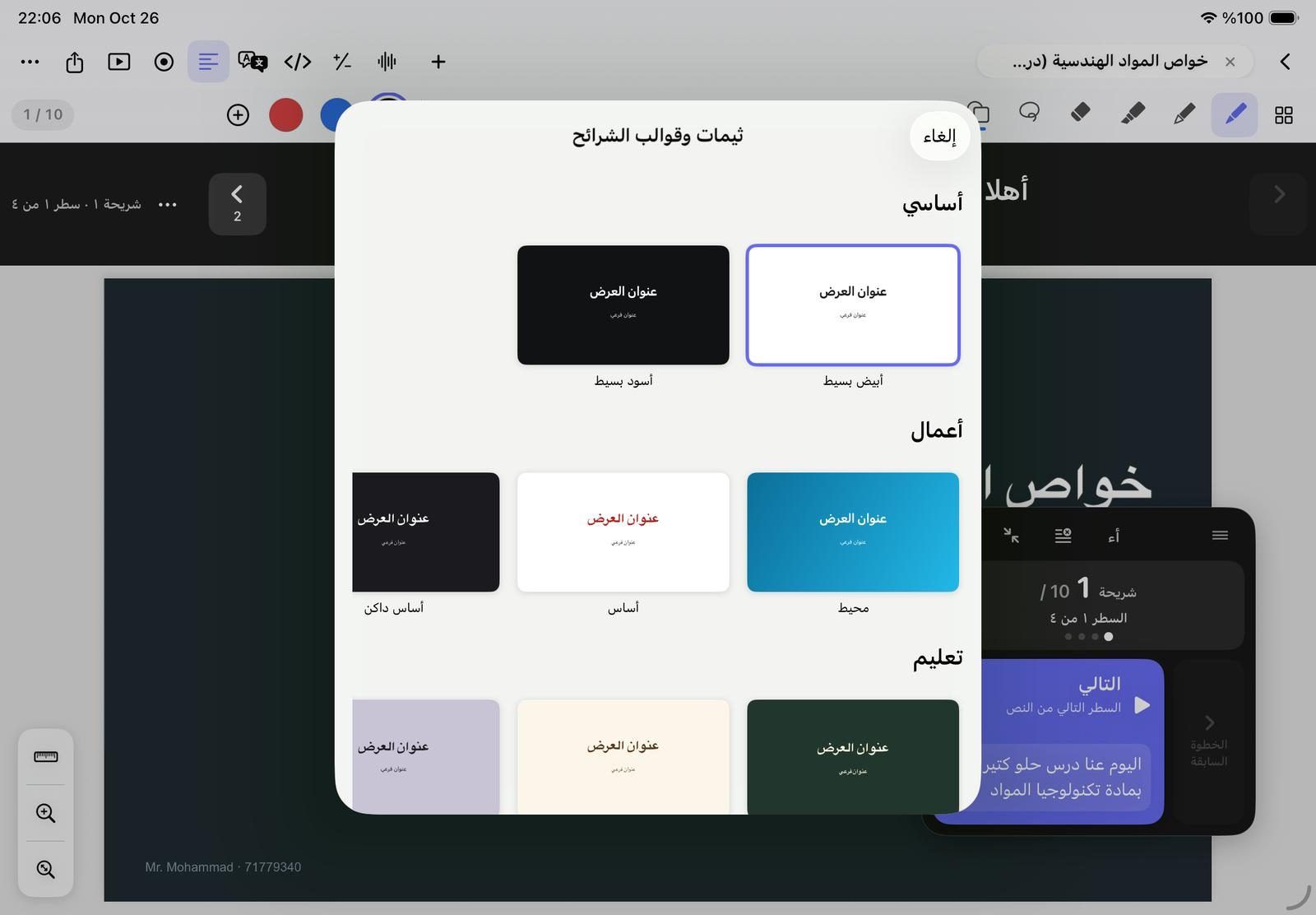
22 themes and eight slide layouts
Open Slide themes & layouts from More or Insert. Pick one of 22 themes in five groups, then add a slide from a layout that already wears it. Apply theme to all slides recolours the whole deck in one step, and one Undo brings it back.
- Basic, Business, Education, Creative and Bold themes, such as Chalkboard, Paper and Scientific
- Layouts: Title, Title & bullets, Two columns, Section, Photo & text, Quote, Big fact, Blank
- Slide 16:9 page size, or vertical 9:16 and square
- The text you typed yourself keeps its own colour and font
Transitions and builds, like Keynote
Choose a Transition for each slide: Dissolve, Push, Move in, Reveal, Flip, Page curl or Magic Move, where shapes and pictures glide to their new place on the next slide. Builds reveal the slide step by step: each tap on Next shows the next point.
- Build in on any element: Fade, Wipe, Write on, Move up, Scale, Pulse, Jiggle or a motion path
- Reveal blocks: drag a box over content and each tap uncovers it
- Handwriting that writes itself stroke by stroke with Write on click
- Build from text makes the steps for a PDF or PowerPoint slide in one go
- Drag steps into order in the Build order tab, or skip a slide
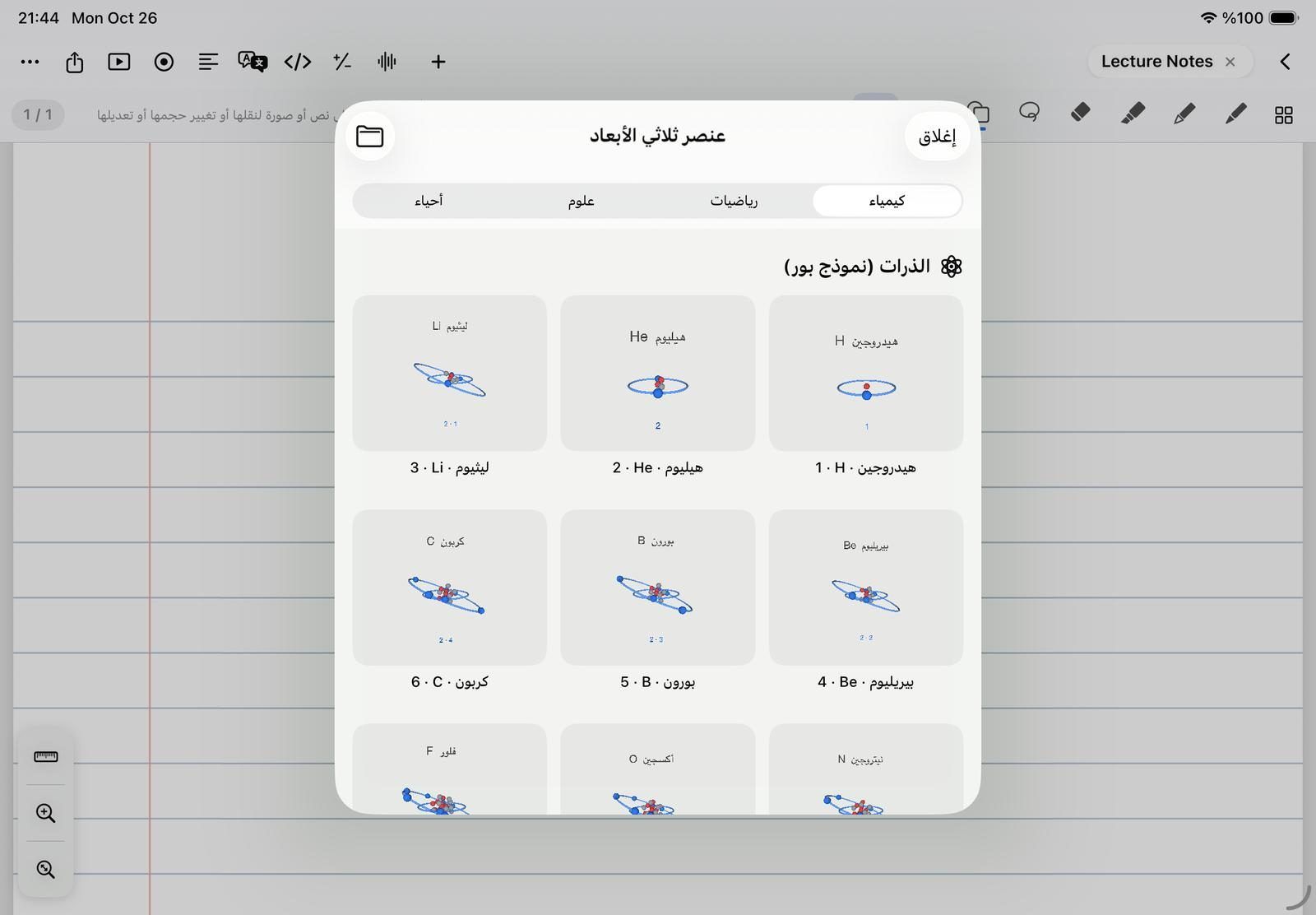
58 3D models for chemistry, maths, science and biology
Insert 3D object opens a gallery of 58 teaching models built into the app, nothing to download. On the page a model is a picture; tap Play and it turns, its electrons and planets move, and you rotate it with a finger.
- 20 Bohr atoms from hydrogen to calcium, 11 molecules and 2 crystal lattices
- 8 solids, 4 conic sections and 7 surfaces z = f(x, y)
- The solar system, Earth and Moon, a bar magnet and two waves, and DNA
- Spin, Quarter turn and Tumble on a tap while you present
- Your own USDZ, SCN or OBJ files from the Files app
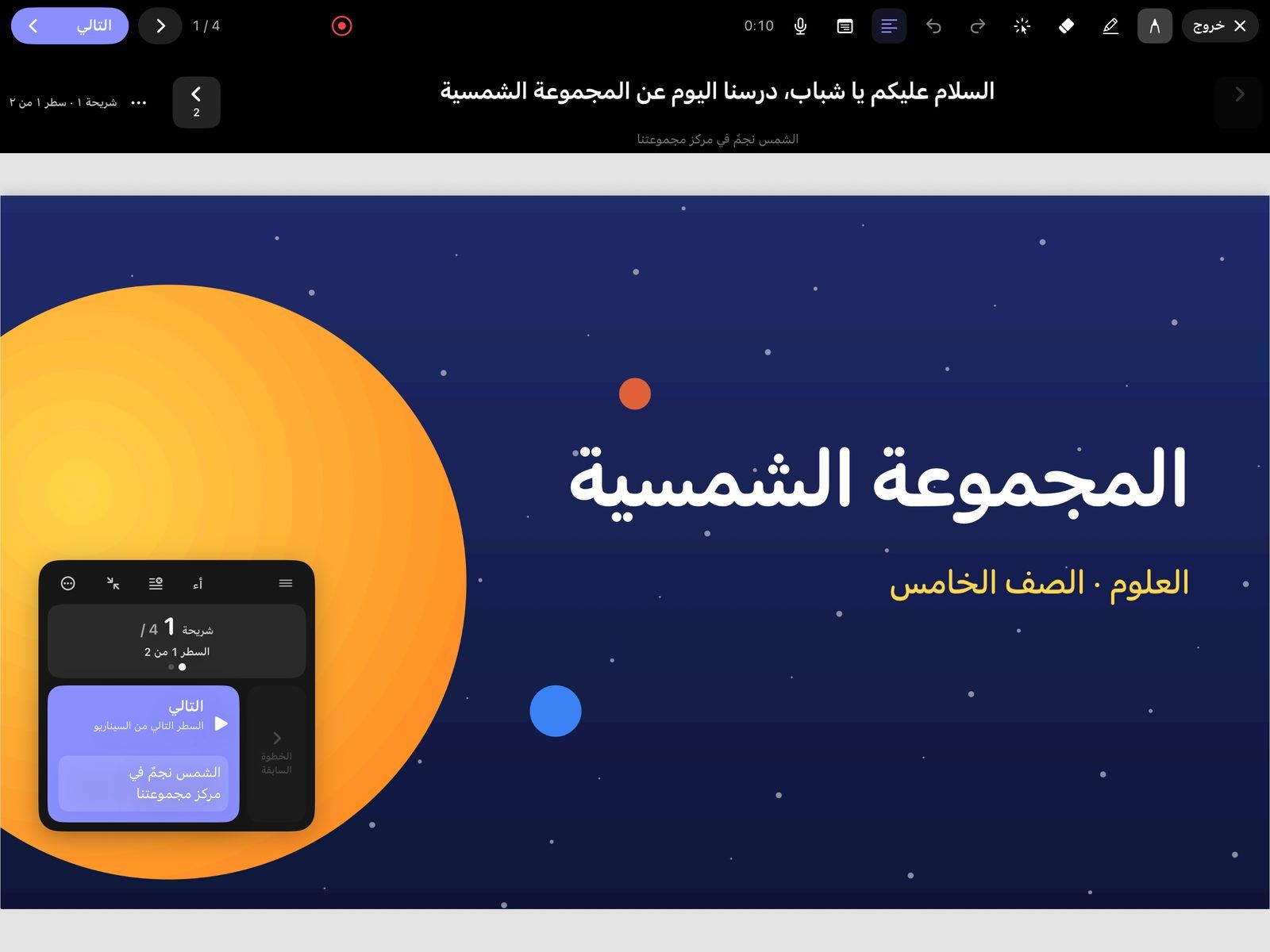
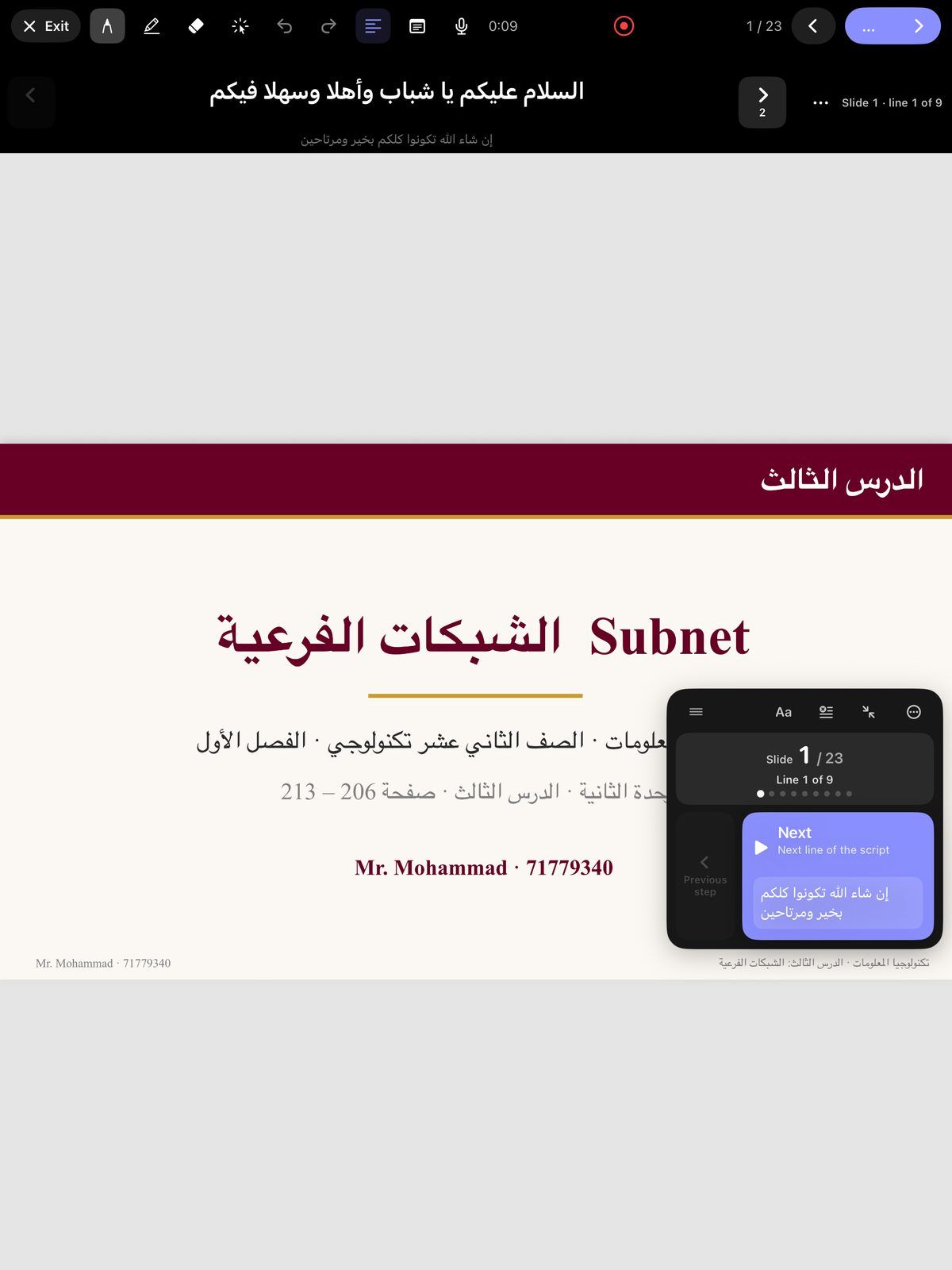
Present mode: the class sees the slide, you keep the tools
Tap Present and the slide fills the screen with a slim bar for Next, Back, the pen, the highlighter, the eraser and the laser. Connect a TV or projector by cable or AirPlay and it shows the slide alone, while the bar, your presenter notes and the script stay on the iPad.
- A laser line that fades after the time you choose, 0.5 to 6 seconds
- Presenter notes with a preview of the next slide
- Next and Back by tap, keyboard or voice: say “next” or “slide 3”
- Record the session from the same bar
- An Apple Watch app moves the slides when you present from an iPhone
Questions teachers ask
Can I show only the slide on a TV or projector?
Yes. Connect the iPad by HDMI or USB‑C, or with AirPlay, and tap Present. The screen shows the slide alone on black, with your writing, the laser and each build, while the toolbars, presenter notes and script stay on your iPad.
Can I reveal the points of a slide one at a time?
Yes. Give an element a Build in effect, or drag reveal blocks over the content. In Present mode each tap on Next shows the next step, and the small number beside Next tells you how many are left on the slide.
Can I change slides on my iPad with an Apple Watch?
No. The NoteM Watch app pairs with an iPhone only: it moves the slides, starts or pauses recording, and controls the Teleprompter studio when you present from that iPhone. It cannot control an iPad.
Do I need to download the 3D models?
No. All 58 models are built into the app, so they work offline and take almost no space. You can also add your own USDZ, SCN or OBJ file.