
The calculator your students know, right on the page.
NoteM floats a scientific calculator laid out like the ones students use in class over your notes, with tools that show every step and graphs you drop straight onto the page.
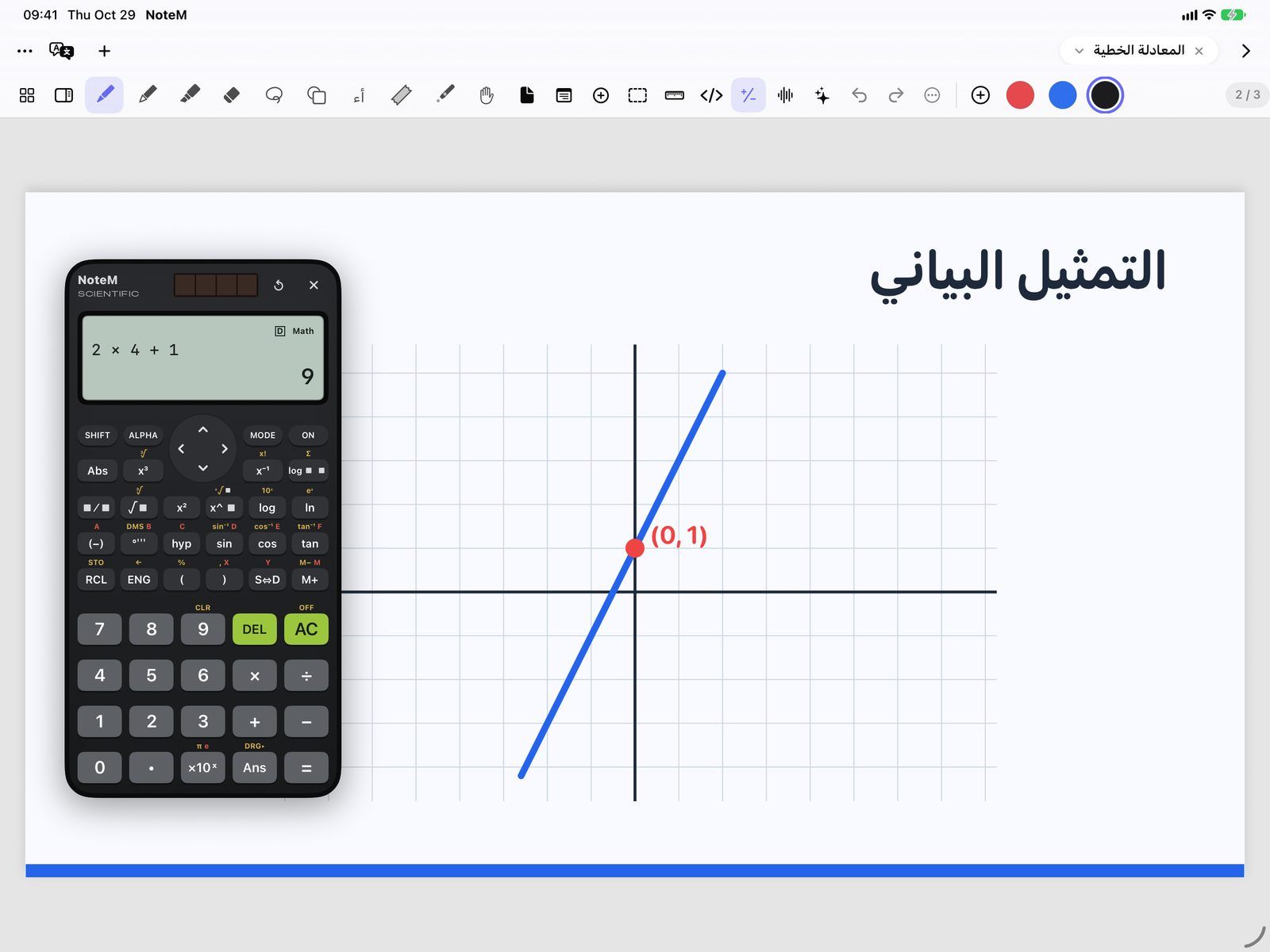
A scientific calculator that floats over your notes
Tap Calculator in the top bar and it appears over the page. Drag it by its top edge wherever you like: it remembers the spot, and it shows in your lesson recordings so students can follow each key.
- Eight MODE modes: COMP, CMPLX, STAT, BASE-N, EQN, MATRIX, TABLE and VECTOR
- SHIFT and ALPHA layers, as printed above the keys
- Textbook display: stacked fractions, roots, powers, ∫ and Σ with their limits
- Variables A to F, X, Y and M, plus CALC and SOLVE
- Variables, Ans and the angle unit are kept after you close the app
Maths tools that show the steps
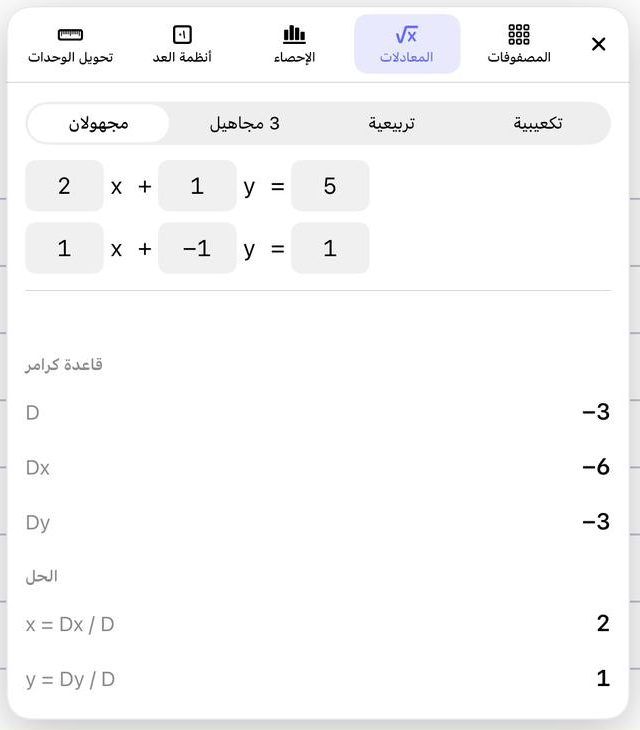
Open More calculators from the calculator’s menu for five tools in one floating panel. You type with the keyboard, and every result and step updates as you type, with no Calculate button.
- Units: 11 categories, from length and area (dunam included) to energy, pressure and data
- Number bases: BIN, OCT, DEC and HEX, with the repeated division shown step by step
- Statistics: mean, median, mode, quartiles, standard deviation, and a regression line for x, y pairs
- Equations: two or three unknowns by Cramer’s rule, quadratics with Δ and the vertex, cubics, complex roots
- Matrices up to 4×4 (sum, product, det, inverse, transpose) and vectors (dot, cross, length, angle)
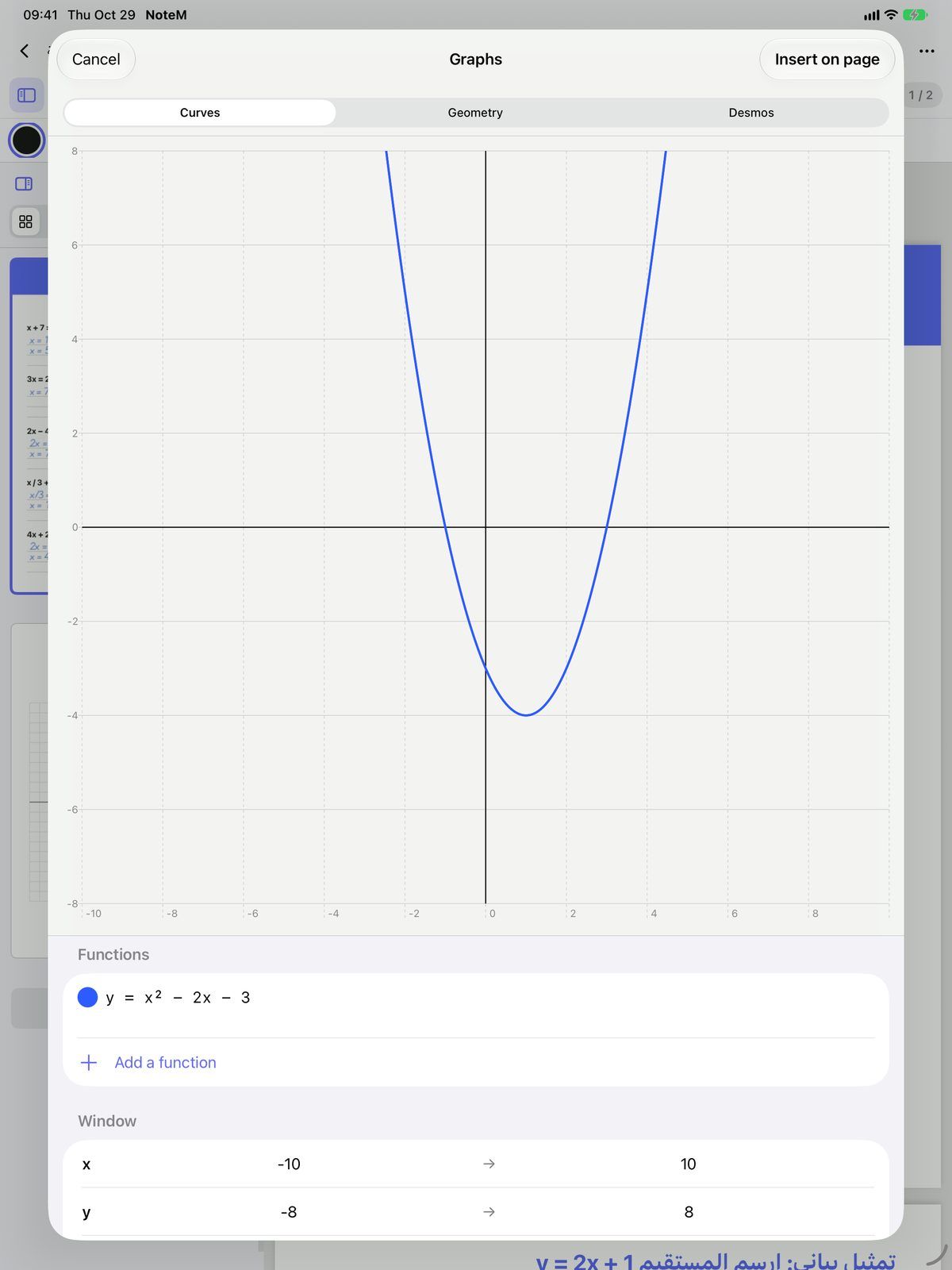
Graphs and geometry, then onto the page
Choose Graphs and geometry from the calculator’s menu or from Insert. Draw, then tap Insert on page: the graph lands on your page as a picture you can write over.
- Curves: several functions of x in six colours, with your own window and grid
- Geometry: points, segments, lines, circles, polygons, midpoints, perpendiculars, parallels and angles, with no internet
- Desmos: the full Desmos calculator inside the app, with your own free Desmos key and an internet connection
- Write functions the way you would on the board: 2x² − 3x + 1, sin 2x, √(x+4), |x|
Questions teachers ask
Can I use the calculator during a recorded lesson?
Yes. The calculator floats over the page and appears in the recording, so students see each key you press and the answer.
Does the calculator solve equations?
Yes. EQN mode solves two or three linear equations, quadratics and cubics, and SOLVE finds X in an equation you type. The Equations tool also shows Cramer’s rule, Δ and the vertex.
Do graphs need the internet?
No, Curves and Geometry work offline. Only the Desmos tab needs the internet and a Desmos API key of your own, which stays on your device.
Is the calculator free?
Yes, in its everyday COMP mode. The other seven modes, the maths tools and graphs come with NoteM Pro.